Showing posts with label website design. Show all posts

Tuesday, 14 July 2015

18 useful articles to improve your design process

Credit: Jenni Brown

Improving your design process makes all the difference to your efficiency, your clients’ happiness, and your own motivation.

The more time you can save with design shortcuts the better, so we’ve dug out some of the best resources on the web to help you saving time creating websites.

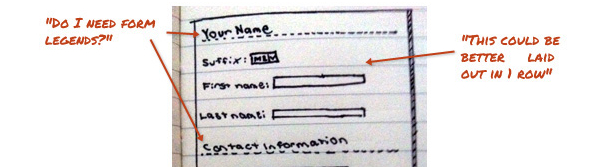
Why Prototyping is Essential to Your Design Process

“Things we conceptualize in our heads that seem awesome regularly turn out to be terrible ideas when we put them in a more concrete, visual medium such as a piece of paper or a computer screen.”
improve-your-design-workflow

Logo land: a terrain of twists and turns

“At the outset, the job is investigative; with detective hats on, the creative team researches, asks questions, analyzes the target audience, scrutinizes competitors, and brainstorms. The process then moves from factual to conceptual, with creative inspiration coming from any number of sources until it finds its way to paper.”
improve-your-design-workflow2

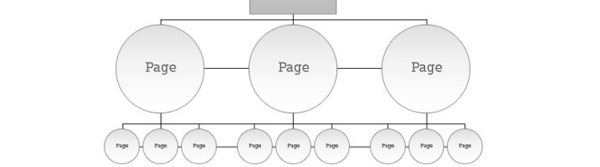
Designing A Winning Navigation Menu: Ideas And Inspirations

“It is better to use simple, obvious and terms that are easy to figure out than to keep to industry-only terms for your navigation menu. Any link that takes users more than a second or two to figure out is probably unsuitable for use.”
improve-your-design-workflow3

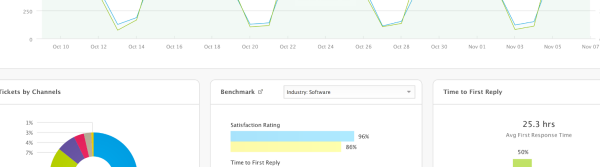
4 tricks for designing data-heavy applications

“Define a use case that will guide your design process. How do most people use your tool? Understand that you cannot please every single user. As a designer, your aim should be to provide the best tool for most of your users, most of the time.”
improve-your-design-workflow4

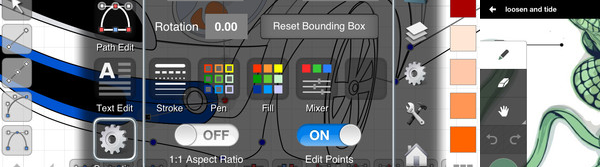
Top 10 Must Have iPad Apps for Logo Design

“The job is tough undoubtedly and to make the job easier a bit various logo design apps have come up to the world of logo designers to help them work whenever and wherever they want in a more effective manner.”
improve-your-design-workflow5

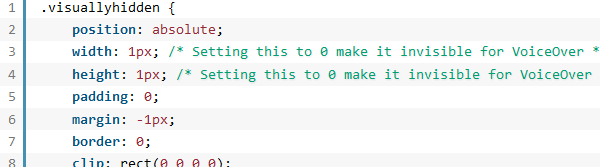
Basic Ready-to-Use CSS Styles

“When you’re creating a website or an application from scratch, you may need a collection of patterns helping you building thing up.”
improve-your-design-workflow6

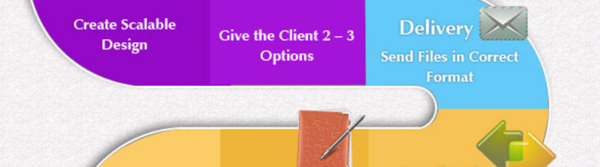
How to deliver the perfect design

“Some of us make our living off doing client work and accepting new projects. While all of us are different in the amount of work we can do and handle, it’s no secret that we don’t want to spend lots of unnecessary time stuck doing revisions and trying different designs.”

improve-your-design-workflow7

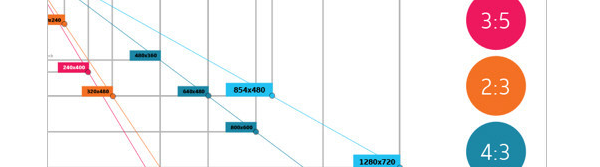
Useful Photoshop Tools and Techniques For Your Workflow

“Photoshop is an extremely powerful application for photo processing and image manipulation, and we can make it even more powerful by using handy tools, actions, plugins and templates to save time for solving mundane regular tasks. The better our professional tool set is, the more time we can spend to focus on the actual design process rather than the tool we are using to implement it on screen.”
improve-your-design-workflow8

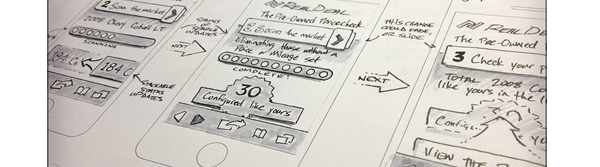
Developing a Design Workflow in Adobe Fireworks

“...with so many choices, how do we determine the right tool to move from concept to functional design?”
improve-your-design-workflow9

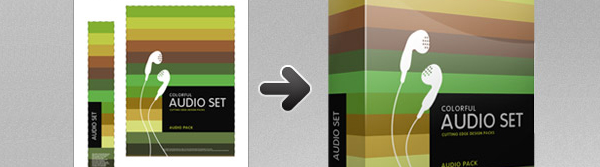
10 Ways Photoshop Actions Can Improve Your Workflow

“Photoshop actions are an extremely easy way to automate all of the mundane daily tasks that have made their way into your design workflow.”
improve-your-design-workflow10

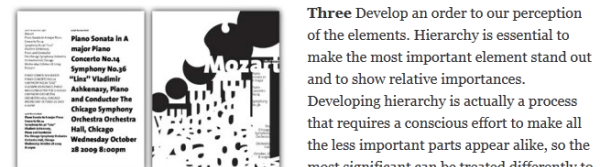
Five Steps to Improve Your Design Process

“Design is often thought of as an artistic, intuitive activity. It isn’t really that at all – at least few targets think of it that way.”
improve-your-design-workflow11

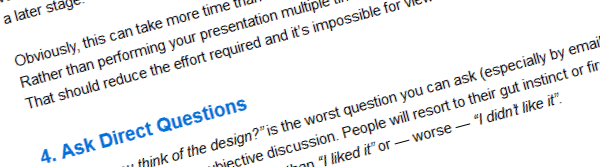
5 Tips to Improve Your Design Sign-Off Process

“Unfortunately, everyone has a different opinion about what “good design” actually is. This is a problem if you’re creating products, software, graphics or other media for a client. Your design may need to be agreed by multiple people all with their own notions and prejudices about how the product should look, feel and work.”
improve-your-design-workflow12

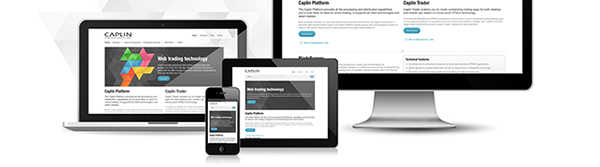
Our responsive web design workflow - caplin.com

“What we know about our users viewport resolution this month my be vary different to what we find out next month. Responsive websites should be flexible and perhaps a bit freeform – but so should the design process.”
improve-your-design-workflow13

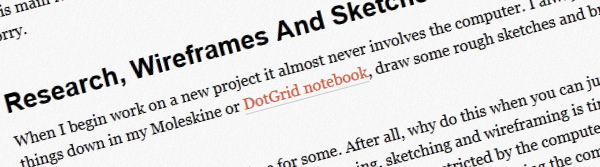
5 Ways To Streamline Your Web Design Workflow

“As a freelance designer, my income greatly depends on my ability to produce quality work, and if I can do that even slightly faster than the other guy, I will not only have happy clients, but returning customers. In this post I’d like to share some of the things I’ve learned throughout the years that I use or do on a daily basis to help me with my workflow.”
improve-your-design-workflow14

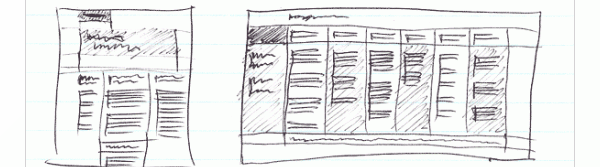
6 Web Design Workflows That Work

A collection of great articles on proven web design workflows.
improve-your-design-workflow15

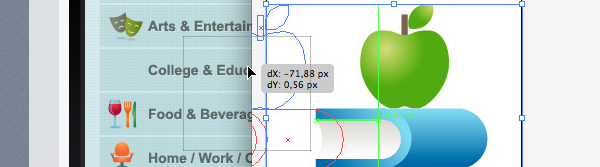
Optimise your web design workflow

“I’m not sure about you, but I still favour using Photoshop to create my designs for the web. I agree that this application, even with its never-ending feature set, is not the perfect environment to design websites in. The ideal application doesn’t exist yet, however, so until it does it’s maybe not such a bad idea to investigate ways to optimize our workflow.”
improve-your-design-workflow16

Responsive web design workflows for today’s web

“It is the nature of the web to be flexible, and it should be our role as designers and developers to embrace this. – John Allsopp”
improve-your-design-workflow17

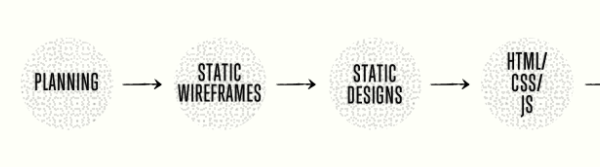
Responsive workflow

“About three or four years ago—when I mostly did just static width sites—my projects went through the different phases in the order illustrated below, which looks like a typical waterfall process. Back then there wasn’t much room for revisions, and what clients saw were either the wireframes or almost finished Photoshop designs.”


improve-your-design-workflow18

For more information about working in the design sector or if you would like to hire a designer, please contact us.

Conquest UK
Web: www.Conquest.uk.com
Email: Advice@Europe.com
Tel: 0871 910 0002
Calls cost 10p per minute + access charge

Connect
Conquest on Facebook
Conquest on Twitter
Conquest UK Google+
The Conquest UK Group Google+

Credit: Jenni Brown

A guide to being a freelance web designer: Part 3: Pitches and events

Credit: Robert Mathers

In my last blog post on selling yourself as a freelance web designer, I talked about how to develop value propositions and elevator pitches to show prospective clients why you’re the right fit for them. In this final post of the series, I’ll explain how to get out and start selling yourself effectively at pitches and events to develop your client base.

Pitches

So, you’ve been invited to pitch by a client that you would love to work with. It’s highly likely that there will be strong competition for projects such as these with a variety of freelancers applying; this is why it’s important to be as prepared as possible to give yourself the best chance of success and following the points below will help you to do just that.

Before attending the pitch, you may have been sent a brief for the project to have a look through. Researching this thoroughly helps you to become extremely familiar with the project that needs to be performed and gives you a decent start in the pitching process.

Go through the brief carefully and make notes on relevant details including…
• What you have to deliver
• What the different stages of the project are
• How your experience matches the requirements
• If you’ll be working or liaising with anyone else on the project
• What resources you’ll need to do the work
• Who you report to
• The timescale on which different stages have to be completed

You should also research the company as much as possible and, in cases where the project doesn’t yet have a defined brief, you should focus on this even more to ensure that you’re prepared.

Your research should cover…

Their website
What is the website’s look and feel like?
How do they describe and position themselves?
Are they up to date or years behind?

Their social media channels
Are they active or inactive?
How much do they engage with their followers and friends?
What kind of content do they post?

Their competitors
Who are their major competitors?
What advantages and disadvantages do they have in relation to the company you’re pitching to?

The person you will be pitching to
If you know who this is, research their position and experience on LinkedIn.

The company’s larger goals
What are they?
How does this project fit into them?
Why do they want to achieve these goals?

Any suppliers the company works with
Who are they?
How does the company work with them?
What do these relationships say about the company as a whole?

Reviews of their products and/or services
What do customers like and dislike about the company’s products and/or services,
What do these results tell you about the company?

Any recent news stories in which they have been featured
Which online publications have they been featured in?
Do these articles tell you anything about their success or positioning?

Make a note of all the relevant information you find in your research and use this to your advantage when pitching to the prospective client. This information can also be particularly helpful when coming up with the questions that you want to ask them during the pitch. When going through the information that you have gathered, what would you like to know to help you to do an amazing job on this project?

Examples of these questions could include…
What desired outcomes are you looking for this project to produce?
What problem does this project intend to solve?
How does solving this problem relate to your future goals as a company?

When you attend the pitch, try to bring some examples of relevant work with you to prove that you have the ability to produce great results on the project.

Consider before the pitch how you will talk about the work and be sure to include clear facts and figures to show how successful your work was.

When you’re in the pitch, make sure that you are your best self, but don’t put on an act that you think will impress them. When you’re being genuine and letting your personality shine through the client will be able to tell and be more likely to warm to you and this can also take some of the tension out of a pitch. Be friendly and clearly passionate about the project and company.

Try to get the key elements of your value proposition and elevator pitch from the previous post in this series into the pitch. These elements can be used within your pitch to present yourself as a fantastic candidate and to provide excellent responses to any questions in which you must describe yourself, your style of working, your experience and your key strengths. Having these statements and knowing them comfortably should also help to make you feel more confident and at ease during the pitch because they will make you feel more prepared.

Later, if the client contacts you to say that you’ve won the pitch, be sure to reply within 48 hours and aim to set up a meeting to discuss further details before getting started. Congratulate yourself on your success and take stock of what you have achieved.

If you’ve been unsuccessful, try not to take this too hard. You may have been extremely close to being selected and you’ve now got even more experience of pitching to draw upon for next time. It’s still a good idea to send an email or note to the client thanking them for the opportunity because this will make them more likely to remember you if someone they know mentions an upcoming project that you’d be right for.

Events

Events are another great way to meet prospective clients and to sell yourself to them. They also give you the opportunity to engage people in a deeper level of communication than if you were to have a conversation with them over the phone or via email and this makes it easier to start creating business relationships.

It’s best to talk to just a few people at an event so you can develop a rapport with them and have more time to discover how you can help each other. If you try to speak to lots of different people during the event, you might find that you end up without many connections keeping in touch with you after the event is over. Remember that you’re attending events to see what you can do for others and this is the approach that will help you the most.

When you speak to people, take a genuine interest in what they have to say because, even if they don’t have a direct need for your services, they may know someone who you could form an excellent long-term business relationship with who they might be happy to put you in touch with if you present yourself in a confident and friendly way.

Whilst you’re talking to someone, take a moment every once in a while to consider the body language that you’re using.

For the best results…
• Smile genuinely
• Have an upright posture
• Make consistent eye-contact
• Move naturally
• Use hand gestures
Try to avoid…
• Folding your arms
• Fidgeting
• Checking the time
• Putting your hands on your hips
• Tapping your feet

When your conversation with someone at an event has come to a natural end, remember to exchange business cards so you can contact each other later. You also want to make sure that you arrive at an event with more cards than you will need and that your cards are designed to convey your values as a freelancer.

If you are highly professional and are looking to perform web design for people in professional or corporate industries, make the messaging and design on your business cards convey this as well, whereas if you’re keen to work in the arts for small businesses you might want to adopt a slightly less formal style.

When the event is over, you should follow up with the people you had great discussions with. An email is often the best way to make contact after an event and you should try to send one within 48 hours. In your email, let them know how much you enjoyed talking to them and try to develop some of the opportunities you mentioned to each other.

The way in which they respond will give you clues as to how to proceed and which methods of contact to use for this. It might be a good idea to have a phone conversation to further your relationship or even meet face to face again.

If you’d like any further advice on selling yourself as a freelance web designer, feel free to post your questions in the comments below along with any tips you have on this subject.


For more information about working in the freelance sector or if you would like to hire a freelance designer, please contact us.


Conquest UK
Web: www.Conquest.uk.com
Email: Advice@Europe.com
Tel: 0871 910 0002
Calls cost 10p per minute + access charge

Connect
Conquest on Facebook
Conquest on Twitter
Conquest UK Google+
The Conquest UK Group Google+

Credit: Robert Mathers

A guide to being a freelance web designer: Part 2: Defining your selling point

Credit: Robert Mathers

In my last blog post on selling yourself as a freelance web designer, I talked about how to understand your target audience. This time, I’ll explain how to use the insights you gained from stepping into your audience’s shoes to discover which of your selling points will be most effective in making clients keen to work with you.

Discover how you match your prospects’ expectations

To get started, open up your document with all the notes you collected from your target audience research and look through it to get a sense of the key skills that your ideal clients are looking for in web designers. You can then take each point within these criteria and match them with your experience and knowledge. For example, if the client would find it beneficial for you to have advanced knowledge of SEO, note cases in which you have demonstrated this ability.

It’s even better if you can add facts and figures to show what you’ve achieved because explaining that your SEO recommendations increased your previous employer’s online traffic by 30% is much more effective than simply mentioning that you have SEO experience. If you’ve noticed some key areas in which you’ve not had much exposure, try to find ways to gain that experience so you can clearly demonstrate your value and increase your chances of winning more work in the future.

Value proposition

Knowing how you can meet the needs of your ideal clients is a great first step, now you just have to think about the best ways to communicate these facts and, to get the ball rolling, it’s best to start with a value proposition.

There are moments when you will have to give someone a meaningful reason to work with you in a very concise sentence. You may be in a pitch and want to use this to conclude with impact; you may not have long to talk with someone about why your skills would be valuable to them or you might even have someone directly asking you “So, why should I work with you”? For cases like these, a value proposition can prove extremely helpful, particularly because it’s very easy to give answers that don’t represent you at your best if you don’t have one prepared.

There are a few features that a great value proposition should have…

Memorable
Use the language in your value proposition to make sure that those who hear it will remember you. It’s possible that a prospective client might not be able to work with you immediately, but in the near future a project could come up that fits your skills perfectly and the more memorable you have been to them, the greater the chance that they will think to get in touch with you.

Concise
Remember that this statement is meant to get across really important information in as few words as possible because this will make it easier for a client to recall and have more impact.

Different
There are lots of freelance web designers out there, so make sure that your value proposition helps you to stand out from others. The people you’re targeting may often get requests for work from plenty of web designers so you’re likely to get ignored unless you present yourself differently.

Confident
Great value propositions have to be confident both in the language that they use and in how they are delivered. Make sure you don’t overdo your confidence to the point that it becomes arrogance though because it’s easy to spot the difference between these behaviours and people won’t want to work with those that seem overly boastful. Just show the client that you believe in yourself and that you’re right for them.

Here are a few examples of value proposition statements to help get you started:

• I’m valuable to clients because I have five years’ experience of performing web design that delivers excellent results in this industry.

• I always go the extra mile for my clients by offering to set up their web hosting and email addresses for free.

• I’m different because my marketing background gives me a greater understanding of how web design can positively impact businesses.

Elevator pitch

If you think that you’ve got a bit more time in which to convince someone of your skills, it’s a good idea to have an elevator pitch to draw upon. This is a 30-60 second business description of yourself that tells someone why they should be interested in you and the name comes from an imaginary scenario in which you find yourself in an elevator on the ground floor with an ideal prospect and only have until the elevator reaches the top floor to convince them to work with you.
For inspiration, take a look at these great examples of elevator pitches for freelance web designers from Graphic Design Blender and Freelance Switch.

“I’m a web designer specialising in sites that my clients can manage and update on their own without any knowledge of HTML. There are a lot of designers out there who want to have control of your site and charge you every time you make a change, but I’m not like that. So next time you think about redesigning your web site, give me a call and we’ll create a beautiful site you can update on your own.”

“You know how small businesses often struggle to get the most out of their websites? Well, what I do is create websites that really engage browsers and work hard to convert them into customers – with measurable results. One company I worked with recently was able to increase online sales by 40% over 3 months.”

Rehearse examples of your pitch a few times after you’ve finished writing them to make sure you’re comfortable when delivering them and that they sound professional and persuasive.

Once you’re confident that you can communicate your skills and experience to potential clients in ways that they will find interesting and relevant it’s time to get out there and start selling yourself.
In the third and final post in this series, I’ll explain how to put the statements you have developed from this section into action when networking with people at events and pitching directly to people that you really want to work with.


For more information about working in the freelance sector or if you would like to hire a freelance designer, please contact us.


Conquest UK
Web: www.Conquest.uk.com
Email: Advice@Europe.com
Tel: 0871 910 0002
Calls cost 10p per minute + access charge

Connect
Conquest on Facebook
Conquest on Twitter
Conquest UK Google+
The Conquest UK Group Google+

Credit: Robert Mathers

A guide to being a freelance web designer: Part 1: Understanding your market

Credit: Robert Mathers

Learning to sell yourself effectively as a freelance web designer is hugely important, but without a clear plan of action it can be difficult to get the results you want.

This skill is essential to succeeding at any stage of your career/business and, even if you’ve got a large amount of experience, it’s always useful to update yourself and find opportunities to optimise your work life.

So, whether you’re just starting out or if you’ve already got a number of clients but are keen to keep growing, this series of blog posts will help you to boost your client base and advance your career.

How do I find good clients?

The first stage in selling yourself is to develop an understanding of who your ideal clients are and, to do this, you need to think about how these clients behave and think.
Try filling in this list to create detailed profiles of who your customers are, or, who you want them to be:

Target Audience

Occupation: Small business owner

Location: London

Goals: To enlarge their team, to expand into a new office, to add more products/services to their offering

Wants: New technology for their business, more employees, better quality design

Motivations: Profit, prestige, love for their business

Aspirations: To become a leading figure in their industry, to have more time for themselves

Fears: Not receiving enough new business, not keeping up with their competitors, low levels of company growth

Problems to be solved: They want to present their company effectively through great design and don’t have the resource for an in-house designer

In the same way that a product sold by a company won’t have much success if it doesn’t address the wants and needs of its target audience, you’re much more likely to win the clients that you want to work with if you understand how they view web designers before you start selling yourself.

Do you want to work with clients in a specific niche or industry, avoid clients with particular traits or get clients who can offer you higher levels of flexibility? As a freelancer, you’re free (no pun intended) to choose who you want to work with, so take the time to really ask yourself why you want to work with this type of client to give yourself the best chance to take on projects that you want to do and that you will enjoy working on.

Communicate with key people

The next phase is to get some insights into how clients often experience web design. If you’ve freelanced for people in the past, or if you know people who work with web designers, why not try asking them some questions to see what really matters to them in these working relationships? These questions can provide in-depth information to help you sell yourself, but they can create new possibilities and opportunities as well. You never know; if you’re having a great conversation with someone about freelance web design they might mention an upcoming project that they could really use your skills on or tell you about a contact who could give you some fantastic help or advice. In cases like these, having your list of the qualities for your ideal clients will also help you to more easily determine if these opportunities are right for you.

What kind of questions should I ask?

To get the ball rolling, here are a few example questions you could ask; you may want to add some questions that are more specific to your goals as well:

“What are the most important things you consider when choosing to work with a web designer”?
“What do you expect from freelance web designers that you work with”?
“What have web designers done in the past that has really impressed you”?
“Are there any downsides that you see to working with freelance web designers”?

If you’re finding it difficult to come up with enough questions, try to think about some broader topics to get ideas flowing.

These could include…
  • Deadlines
  • Working hours
  • Meetings
  • Communication
  • Offering extra services
  • Client relationships
  • Briefings
  • Payment
  • The length of projects

What’s the best way to ask my questions?

You’re likely to get the best results from asking questions in person, but, if you’re keen to hear from people who aren’t local to you, answers sent over social media platforms or email should still give you a decent amount of detail.

Try to get answers from a range of different people whose opinions you value. This is because everyone’s answers are likely to be slightly different, but having a variety of perspectives can only give you more information to draw upon. If you’re struggling to find enough people to ask these questions to, you can also post them on forums to get a wide range of responses.

In the next post in this series, I’ll explain how to use the insights you’ve developed from this section to stand out from others and show potential clients why working with you will bring them the results they are looking for.

For more information about working in the freelance sector or if you would like to hire a freelance designer, please contact us.

Conquest UK
Web: www.Conquest.uk.com
Email: Advice@Europe.com
Tel: 0871 910 0002
Calls cost 10p per minute + access charge

Connect
Conquest on Facebook
Conquest on Twitter
Conquest UK Google+
The Conquest UK Group Google+

Credit: Robert Mathers